
SEO Location Pages: How to Build Ones That Rank
The two kinds of location pages
| Business with offices or stores | Service-area business | |
|---|---|---|
| Example | A dental group with 4 clinics | A roofer serving 8 towns |
| One page per | Physical location | Town or city served |
| Must show | Address, hours, map, phone, staff | Area served, local permits, services, phone |
| Google profile | One per address | One for the business, service area set |
| Main risk | Duplicate pages for each branch | Thin pages that only swap the city name |
Most home-service and rank and rent sites are the second kind. The rules below apply to both.
What are location pages?
A location page is a page on a business website focused on one place. Multi-location businesses use them for each branch; service-area businesses (roofers, plumbers, pest control) use them for each town they work in, even without an office there. They are also called local landing pages, city pages or service area pages.
They exist because local searches name a place: "tree removal Meridian" and "tree removal Boise" are different searches, and one page cannot rank well for both.
What every location page needs
- A title and H1 with the service and the place: "Kitchen Remodeling in Sparks, NV".
- Facts that are true for that place: the permit office, the license rule, typical local prices, the age of local homes.
- The services offered there, each linked to its service page.
- Consistent business details: the same name, phone and service area as the Google Business Profile.
- A clear way to get a quote: a form above the fold and a click-to-call number.
- Schema: LocalBusiness with
areaServed, plus BreadcrumbList.
Location page example
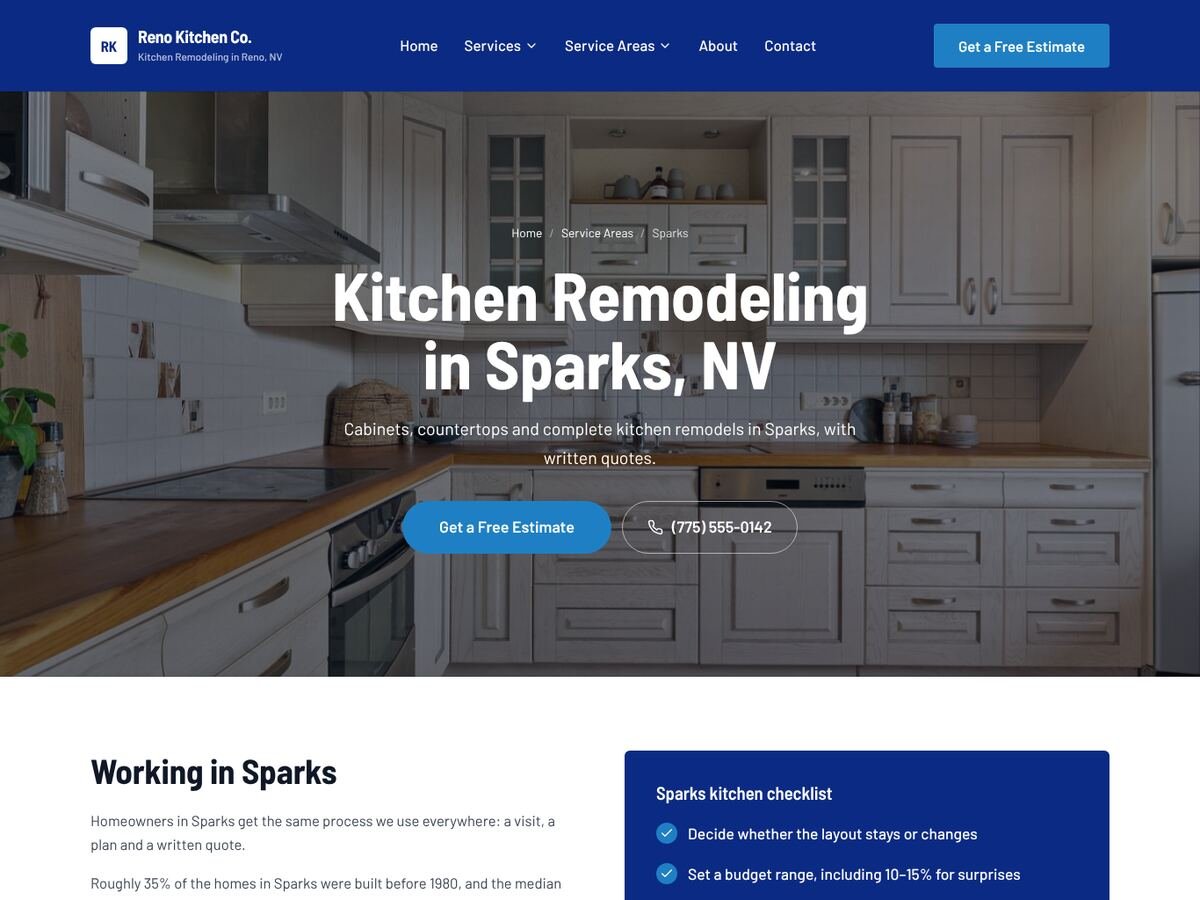
The live Sparks page above is one of eight location pages on a SetToRank sample site. Here is the local part of it, straight from the research library:
Local content: a real example
Here is what the permits and licensing part of a SetToRank kitchen remodeling page for Reno, Nevada says, taken straight from the research library:
Permits: Reno reviews new work against the 2024 building codes adopted on July 1, 2025. Permits are issued by the City of Reno Building Division, (775) 334-2063.
Licensing: Nevada requires a contractor license for work of $1,000 or more in labor and materials combined, and for any job that needs a building permit or involves plumbing, electrical, heating or air-conditioning work, whatever the price (NRS 624.031). Check any contractor with the Nevada State Contractors Board.
Every city page gets this kind of detail for its own city and state, which is what makes city pages useful to readers instead of copies with the city name swapped.
Business location pages: structure and URLs
Use a hub and spoke: one hub page that lists every location, and a page per location linked from it, from the menu and from every service page.
- Service-area sites:
/service-areas/hub,/service-areas/sparks/pages. - Multi-location businesses:
/locations/hub,/locations/reno-downtown/pages. - Keep URLs short, lowercase and hyphenated, with no dates or IDs.
How many location pages should you create?
One per place the business really serves, which for a local service business is usually the home city and the closest 3–8 towns. After building 50 rank and rent sites, the pattern is clear: a tight area ranks, and 50 thin location pages make every page weaker. That is why SetToRank caps a site at 8 city pages.
Location pages SEO mistakes
- Copying one page and changing only the city name (Google's spam policies call these doorway pages)
- Pages for places the business does not serve
- Orphan pages nobody links to
- Different phone numbers or business names from the Google profile
- No way to get a quote on the page
More detail for service businesses in service area pages and the rank and rent SEO guide.
Location pages FAQ
Do location pages help SEO?
Yes, when each page is useful for people in that place. They let a business rank for "service + city" searches in every town it serves. Copied pages with only the city changed can hurt instead.
What is the difference between location pages and service area pages?
Nothing important: service area pages are location pages for a business that travels to customers. Multi-location businesses use location pages for each branch address.
Can I make location pages without an office there?
Yes, if you really serve that area. Say clearly that you serve it, and do not invent an address.
Do I own a site built with SetToRank?
Yes. It is a normal WordPress site with Elementor pages and its own login. Host it with SetToRank on your own domain, or publish it to your own WordPress hosting.
Can I try SetToRank before paying?
Yes. Build your full site for free and look at every page. You only choose a plan when you want to publish it.
See your own site before you pay
Pick a niche and a city. SetToRank builds every page for free, so you can judge the result yourself.
Build my site free →